Manhattan desk workers ask a lot of their spines. A typical workday can include a crowded subway ride, hours at a laptop, back-to-back meetings, lunch at the desk, then more phone time on the way home. Even if you exercise regularly, those long blocks of stillness can add up to neck tension, shoulder tightness, low back stiffness, headaches, or sciatic-type symptoms.
The good news is that Manhattan spine health does not require a perfect office, expensive equipment, or a complicated routine. It starts with small, repeatable choices: adjust your screen, move before pain builds, strengthen the muscles that support your posture, and know when persistent symptoms deserve professional evaluation.
Why Desk Work Can Be So Hard on Your Spine
Your spine is built to move. Sitting is not automatically harmful, but staying in one position for hours forces certain muscles to work continuously while others become underused. Over time, the neck may drift forward, the upper back may round, the hip flexors may tighten, and the low back may lose support from the core and glutes.
For Manhattan professionals, the problem is often not just the desk. It is the whole day. You may stand with one hip dropped on the train, carry a heavy tote on one shoulder, answer emails while looking down at your phone, then work from a compact apartment setup at night. These small posture habits can compound into recurring pain patterns.
Common desk-related symptoms include:
- Neck and upper shoulder tightness
- Mid-back burning or stiffness
- Low back aching after sitting
- Hip tightness when standing up
- Headaches that worsen during screen-heavy days
- Tingling, numbness, or radiating pain into an arm or leg
Mild stiffness often improves with movement and ergonomic changes. Symptoms that persist, radiate, or interfere with work and sleep should be taken more seriously.
Start With a Workstation That Supports Neutral Posture
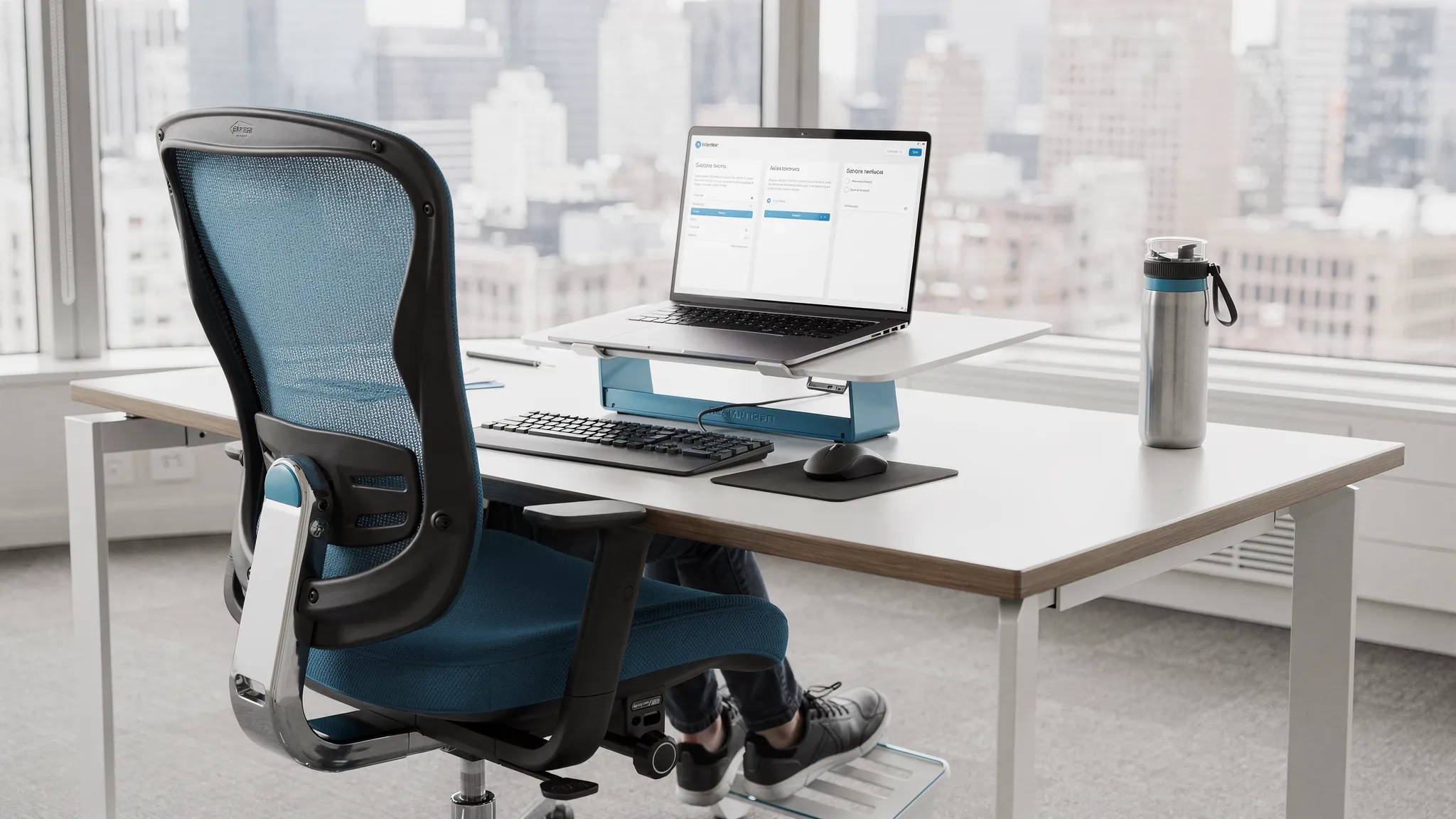
A healthy desk setup is not about sitting rigidly upright all day. It is about making your most common working position less stressful. The OSHA computer workstation guidance emphasizes fitting the workstation to the worker, including screen height, chair support, keyboard placement, and relaxed arm position.
Use this table as a quick setup guide:
| Desk area | What to aim for | Why it helps |
|---|---|---|
| Monitor | Top of the screen at or slightly below eye level, about an arm length away | Reduces forward head posture and neck strain |
| Chair | Feet flat, hips supported, low back gently supported | Helps distribute pressure and supports the lumbar spine |
| Keyboard and mouse | Close enough that elbows stay near your sides | Reduces shoulder elevation and wrist tension |
| Laptop | Raise the screen and use an external keyboard when possible | Prevents the classic laptop hunch |
| Phone | Use speaker, earbuds, or a headset for long calls | Avoids holding the phone between ear and shoulder |
If you work from a small apartment, coffee shop, or shared Manhattan office, focus on the highest-impact fixes first. Raise your laptop with a stand or stack of books, keep your feet supported, and avoid working from the couch for long stretches. A less-than-perfect setup can still be spine-friendly if you change positions often.
Move Before Your Body Has to Complain
Many desk workers wait until their neck or back hurts before taking a break. A better strategy is to move before symptoms build. Think of movement as a reset for your joints, muscles, circulation, and nervous system.
A practical target is to change position every 30 to 60 minutes. That does not always mean leaving your desk for a long walk. Even 60 to 90 seconds can help if you do it consistently.
Try this simple desk reset:
- Take five slow breaths while relaxing your shoulders.
- Stand up and gently squeeze your glutes five times.
- Do five shoulder blade squeezes without arching your low back.
- Perform five slow chin tucks to bring your head back over your shoulders.
- Walk to refill water, take a lap around the office, or do 20 calf raises.
This routine is easy to fit between calls, before meetings, or after finishing a task. If you use calendar blocks, add a recurring movement reminder. If you work in a high-pressure role, pair movement with something you already do, such as checking messages, brewing coffee, or transitioning between projects.
Desk-intensive professions, from Manhattan finance teams to remote firms offering expert tax and accounting services, often face deadline seasons with long seated hours. The more demanding the work period, the more important it becomes to protect your body with planned movement rather than waiting for pain.
Desk-Friendly Exercises for Spine and Hip Mobility
The best exercises for desk workers are simple, low-risk, and repeatable. They should relieve stiffness without requiring a gym or a change of clothes. Start gently, especially if you already have pain, and stop any movement that causes sharp, worsening, or radiating symptoms.
| Exercise | How to do it | Best for |
|---|---|---|
| Chin tuck | Sit tall and glide your head straight back, keeping your eyes level. Hold for 3 seconds. | Forward head posture and neck tension |
| Doorway chest stretch | Place forearms on a doorway and step forward gently. Hold 20 to 30 seconds. | Rounded shoulders and tight chest muscles |
| Thoracic extension | Sit with your upper back against the chair, support your head, and gently extend over the chair back. | Mid-back stiffness from screen work |
| Hip flexor stretch | Kneel on one knee or stand in a split stance, tuck the pelvis slightly, and shift forward gently. | Tight hips and low back strain |
| Seated figure-four stretch | Cross one ankle over the opposite knee and hinge forward with a straight back. | Glute and hip tightness |
| Glute bridge | Lie on your back, knees bent, and lift your hips while keeping ribs down. | Low back support and glute activation |
Do not force range of motion. The goal is not to aggressively stretch the spine. The goal is to restore comfortable movement, reduce muscle guarding, and remind your body that it has more options than the seated position.
Watch for Manhattan-Specific Spine Traps
Your desk is only one part of the story. Manhattan life creates several everyday spine stressors that are easy to overlook.
A heavy shoulder bag can pull your neck and upper back to one side. If you carry a laptop, gym clothes, and paperwork, consider switching to a backpack with two straps or alternating sides frequently. Keep the bag as light as possible and remove items you do not need every day.
Phone posture is another major issue. Looking down at your phone on the subway or while walking can overload the neck and upper back. Bring the phone closer to eye level when possible, and take breaks from scrolling. If you are answering long emails, use a laptop or desktop setup rather than typing paragraphs on your phone.
Shoes matter too. Many professionals commute in dress shoes, flats, or fashion sneakers that may not provide enough support for long walks on concrete. If your work outfit allows it, use supportive commuting shoes and change at the office. Your feet, knees, hips, and spine all work as a chain.
Finally, be careful with after-hours laptop use. Working from bed or a couch can quickly place your neck and low back in strained positions. If you must work at home, create a small repeatable setup with back support, raised screen height, and a separate keyboard whenever possible.
Strength, Sleep, and Stress Also Affect Spine Health
Ergonomics can reduce strain, but your spine also depends on general health. Strong hips, core muscles, and upper back muscles help your body tolerate long workdays. Regular walking, strength training, and mobility work can make desk time less irritating.
The CDC recommends that adults get at least 150 minutes of moderate-intensity aerobic activity each week, plus muscle-strengthening activities on two or more days. For desk workers, that could mean brisk walking during lunch, taking stairs when appropriate, and doing short strength sessions before or after work.
Sleep is another key factor. Poor sleep can increase pain sensitivity and reduce tissue recovery. If you wake with neck or back pain, check your pillow height, mattress support, and sleep position. A pillow that keeps your neck neutral is usually better than one that forces the head too far up or lets it drop.
Stress can also show up physically. Many people unconsciously brace their jaw, lift their shoulders, or hold their breath during intense work. A one-minute breathing reset can reduce muscle tension: inhale through the nose, exhale slowly, and let the ribs and shoulders soften. This is not a cure for structural problems, but it can reduce the constant muscle guarding that makes desk pain worse.
When Desk Pain Needs Professional Spine Care
Self-care works best for mild stiffness, early posture discomfort, and symptoms that improve with movement. Professional evaluation is important when pain keeps returning, limits your workday, affects sleep, or travels into the arm or leg.
Seek urgent medical care if you notice red flags such as:
| Symptom | Why it matters |
|---|---|
| New weakness in an arm or leg | May suggest nerve involvement that needs prompt evaluation |
| Loss of bowel or bladder control | Requires urgent medical attention |
| Numbness in the groin or saddle area | Can be a serious neurological warning sign |
| Pain after a fall, accident, or trauma | May require imaging or medical assessment |
| Fever, unexplained weight loss, or history of cancer with back pain | Needs medical evaluation to rule out non-mechanical causes |
| Worsening radiating pain, tingling, or numbness | May involve nerve irritation or compression |
For non-emergency pain, a spine-focused provider can assess posture, joint mobility, muscle balance, movement patterns, and nerve-related signs. A chiropractor may use spinal adjustments, soft tissue techniques, corrective exercises, and ergonomic guidance as part of conservative care. Some patients also benefit from physical therapy, acupuncture, trigger point care, or a broader pain management plan.
Move Well MD provides integrated care in Manhattan, including chiropractic care, acupuncture treatments, physical therapy, sports medicine services, and comprehensive pain management. If you are exploring conservative options, you can learn more about chiropractic care in Manhattan or how physical therapy in Manhattan can support recovery and long-term mobility.
A Simple Workday Spine Plan
The best spine health plan is the one you can actually follow. Use this sample schedule as a starting point and adjust it to fit your workday.
| Time of day | Spine-friendly action |
|---|---|
| Before work | Set screen height, place feet flat, and do 1 minute of breathing or mobility |
| Mid-morning | Stand, walk briefly, and reset shoulders before pain builds |
| Lunch | Take a 10 to 20 minute walk if possible, even at an easy pace |
| Mid-afternoon | Do chin tucks, chest opening, and hip flexor mobility |
| Commute home | Switch bag sides, avoid prolonged phone hunching, and stand evenly |
| Evening | Do gentle mobility or strengthening instead of more couch-based laptop time |
Consistency matters more than intensity. A few minutes of movement repeated daily is often more useful than one long stretch session after a week of stiffness.
Frequently Asked Questions
How often should desk workers move during the day? Most people do best when they change position every 30 to 60 minutes. Even a short standing break, hallway walk, or mobility reset can reduce stiffness and improve comfort.
Is a standing desk better for Manhattan spine health? A standing desk can help, but standing all day is not the goal. The healthiest option is usually alternating between sitting, standing, and walking while maintaining good screen and keyboard position.
Can posture exercises fix back or neck pain? Posture exercises can help many desk-related aches, especially when combined with ergonomic changes and regular movement. Persistent, radiating, or worsening pain should be evaluated by a healthcare professional.
What is the best chair for desk-related back pain? The best chair is one that supports your low back, allows your feet to rest flat, keeps your hips comfortable, and lets your arms relax near your sides. Fit matters more than brand or price.
When should I see a chiropractor for desk pain? Consider an evaluation if pain lasts more than a couple of weeks, keeps returning, limits daily activity, or is associated with numbness, tingling, or radiating symptoms. A chiropractor can assess whether conservative spine care is appropriate for your condition.
Move Better Through Your Manhattan Workday
Desk pain is common, but it should not become your normal. Small changes to your workstation, movement habits, commute, sleep, and strength routine can make a meaningful difference in how your spine feels day to day.
If your symptoms are persistent or interfering with work, Move Well MD can help you identify what is driving your pain and build a personalized plan. Our Manhattan clinic offers chiropractic care, acupuncture, physical therapy, sports medicine services, and comprehensive pain management designed to help you move more freely and live with less pain.
Visit Move Well MD to learn more or schedule an evaluation.
